


Fresh at MIRT
Welcome to Fontys!
We are looking forward to meeting you in person. To get you well prepared for your study at MIRT, we have gathered all information you need on this page. Please check this website regularly so you don't miss an update. If you still have any questions, please don’t hesitate to contact us. See you soon!
The student guide
In this student guide you will find information you need to get you started. But also read this website attentively. Are you going to become the healthcare professional of the future?
Take a look!Get prepared to start your studies at Medical Imaging and Radiation Therapy (MIRT)
Below you will find practical information about e.g. your application, Fontys account, on campus WiFi, books and laptop requirements.
Your application
You have sent in your application to this study programme through the website studielink.nl and have recieved a confirmation e-mail from Studielink. In Studielink you will find a 'To Do List' where you can check the actions you still need to complete. You will also receive information about your application from the administrative office.
Should you have any questions, feel free to contact us through admissions-fahp@fontys.nl or +318850-77011 (Monday to Thursday).
Tuition fees are a standard part of studying in the Netherlands. You pay your tuition fees via a digital (direct debit) authorisation, either all at once or in instalments. For more information about how and when to pay, watch the animation or see link below.
More information about tuition fees

Before starting, I couldn't have imagined neither all the ups, neither the downs that awaited me. But if I could, I would do it again."
Alumnus about his experiences
Account and IT information
After applying you received an email from us with your personal login details. The sender of the email: 'no-reply@fontys.nl', and the subject is 'Fontys account creatie/creation'. Please save this e-mail carefully, you will need it!
For practically all online services at Fontys you have to sign in with your Fontys account. This account is a username and password combination. Your user name contains a PCN (Personal Communication Number) and the domain: '@student.fontys.nl'.
More information about signing inBeing able to work and study securely is of the utmost importance at Fontys. That is why we continuously work on improving information security. We switched to a new way of signing in at Fontys: in addition to your username and password, you will also use an extra step as verification (multifactor authentication).
Eduroam (education roaming) is a service that enables students, researchers, and staff to securely access the wireless internet at the Fontys campus and while visiting other participating institutions, using the username and login provided by Fontys.
Advice: Install eduroam on your private laptop, smartphone, and tablet at home according to the instructions. When you arrive at the Fontys campus, everything will be set and ready to go.
Manual: Connect to EduroamFontysConnect, the intranet site of Fontys, is used to make (digital) information available, to share documents, to work together and as a search centre. Everyone with a Fontys account has access. If you log in to the Fontys website with your Fontys account you will land on your personal Connect page. From there you can access the various pages. This is not needed right now but will be come in hand when your studies start!
go to portal
How do I get the card?
The student card is provided once free of charge at the beginning of or during the academic year to all students who register for the first time at Fontys University of Applied Sciences. You can apply for a student card when you are fully registered.
- Apply for a student card via www.fontyskaart.nl.
It is most convenient if you have your student card right from the start of the educational year. It is best to apply for the card as soon as you know what is your address is in the Netherlands.
When do I need a student card?
You need a student card for various reasons:
- As proof of identity at Fontys Universities (for example at exams).
- For logging on to the Canon printers.
- To gain entry to some buildings on Fontys property and at automated barriers.
- To use the lockers in some Fontys buildings.
- For the loan of equipment from the media libraries.
Fontys provides you with ‘@student.fontys.nl’ email address. You can log in with your Fontys account. When you start your studies at Fontys, we will no longer send e-mails to your private email address, but instead only use your Fontys email address. Make sure you check this account regularly!
go to Outlook webmailiPhone and iPad
- Choose Outlook for iOS in the Apple Store and install the app.
- Add an account and fill in your email address (name@student.fontys.nl)
- Open verification app and you will be directed to the Fontys login page
- Remove the email address and fill in your Fontys credentials:
username: <PCN>@student.fontys.nl
Password: the password to your Fontys account - Skip the First Run Experience
- Enable Notifications
- Tap Allow 'Outlook can send you messages."
Android phones and tablets
- Go to settings > Accounts & Synchronisation > Add Account > Microsoft Exchange ActiveSync.
- Fill in the required details:
Domain: The domain students use is BERGEN. When a domain is optional, leave this field blank. Some devices require the notation domain\username in one field. In that case, write down: BERGEN\<PCN>.
Username:
Your username is <PCN>@student.fontys.nl. Some devices require the notation domain\username in one field. In that case, write down: BERGEN\<PCN>. - Write down your Fontys emailadress: <name>@student.fontys.nl
- Fill in the password to your Fontys account.
- Server: If your device asks for this, write down outlook.fontys.nl
There are quite a few applications you'll use during your studies—for your timetable, grades, exams, and more. That’s why we’ve listed everything for you in one place. This way, you can see at a glance what each tool is used for and how to install it.
See how to use and install the toolsIf you click the button below you will find English information and manuals on various IT topics. You'll be able to find information about the Fontys network, printing, storage, mail, etcetera. You can also find the contact details of our IT Servicedesk here.
go to it helpStudy materials
Is your laptop ready for your studies?
Here is a list of minimum requirements that Fontys sets for a computer to be used for
education. This includes the applications Microsoft Office 365 or Office 2019/2021, DLO
and tests.
The camera and headphones are intended for use with MS Teams.
Microsoft
- Processor: Intel Core i5 series/AMD Ryzen 5 series
- Memory: 8 GB RAM
- Hard disk: 128 GB disk space
- Network: Wifi
- Display: 14 inch screen van 1280 x 768
- Mouse: recommended
- Camera: recommended
- Headphones/earphones: recommended
- Browser: The latest version of Edge Chromium, Safari, Chrome of Firefox
- Operating system: Windows 10/11
Mac
- Processor: Intel-processor/Apple Silicon processor
- Memory: 8 GB RAM
- Hard disk:: 128 GB disk space
- Network: Wifi
- Display: 14 inch screen van 1280 x 800
- Mouse: recommended
- Camera: recommended
- Headphones/earphones: recommended
- Browser: The latest version of Edge Chromium, Safari, Chrome of Firefox
- Operating system: macOS 12.1 en hoger
Note: Chromebook/Linux-based systems are not suitable because various DLO components, including TestVision and the lockdown tool, will not work.
Note: Windows 10/11 in S mode are not suitable, Windows 10/11 Home of Pro are suitable.
Because the digital education market (software and IT hardware) is constantly changing,
these student laptop specifications are a recommendation for the minimum
requirements your laptop should meet. However, Fontys University of Applied Sciences
cannot guarantee that during the term of your studies this market will not make
additional demands, or offer new hardware that is less suitable. We will of course do
everything possible to limit the impact on you (your laptop) and inform you to the best of
our abilities.
Software deals for education
SURFspot is the ultimate non-profit ICT online store. SURFspot offers an educational discount on software, hardware and online educational resources.
So how does it work?
Go to SURFspot.nl and log in using your Fontys account (PCN@student.fontys.nl + password)
The book list contains the necessary books for the MIRT programme. You are responsible for purchasing the literature yourself; this is not done through Fontys.
View the book listFor those who don't speak Dutch yet. For those who have never learned Dutch before, the language may seem totally incomprehensible. It doesn’t have to stay like that, though!
In the module Dutch Language Programme A0 to A1 you will start from scratch and very quickly you should be able to understand some simple written and spoken language and be able to start communicating in Dutch. The goal of this programme is to reach CEF (The Common European Framework of Reference for Languages) level A1 for Dutch reading, writing, listening and speaking skills.
Once you've completed this module you will be able to:
- Greet people as well as introduce yourself and others;
- Ask for and provide personal details;
- Get around in shops and restaurants;
- Conduct simple discussions in the present and future tenses;
- Talk about daily activities such as work or sports.
For who?
This programme is especially designed for foreign students who want to get to know and learn the Dutch language.
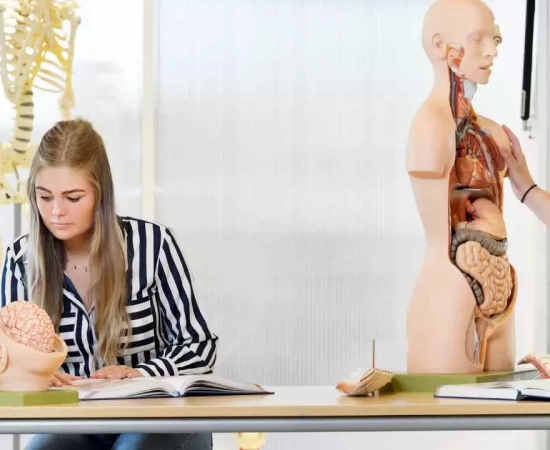
Working with other students in a group teaches you to be more collaborative, outgoing and respectful of others work and opinions."
Student about her experiences
Starting your studies
When starting your studies at Fontys, it is nice to know when we expect to meet you on campus for the first time and what you will experience in the first months at Medical Imaging and Radiation Therapy.
Academic calendar 2026-2027
Purple introduction week
24-08-2026 / 28-08-2026
Educational period 1
31-08-2026 / 15-11-2026
Educational period 2
16-11-2026 / 07-02-2027
Educational period 3
15-02-2027 / 25-04-2027
Educational period 4
03-05-2027 / 25-07-2027
Vacation and holidays
Autumn break
19-10-2026 / 25-10-2026
Christmas break
21-12-2026 / 03-01-2027
Spring break
08-02-2027/ 14-02-2027
Good Friday
26-03-2027
Easter Monday
29-03-2027
May break
26-04-2027 / 02-05-2027
Liberation day
05-05-2027
Ascension Day and the day after
06-05-2027 / 07-05-2027
Whit Monday
17-05-2027
Summer break
26-07-2027 / 05-09-2027
We will start the academic year starting Monday, September 2, 2024. More information will follow as soon as this is known. In the week of August 26 you will receive an email from the program with the date, time, location and program of the first time we expect you at school. During your first introduction day you will also be given insight into your schedule.
Join our community
Fontys MIRT offers you several ways for you to become part of our community. It is up to you to join, but we highly recommend it. There is no better way to get to know your future classmates before you even set one foot on campus!
Hereby we’d like to formally introduce to you the: Corpus English Stream Committee.
Who are we?
We are a group of five second-year students (Cian Barrett, Irene Pasqua, Nike Diana Freys, Martin Tiedt & Vince Nelissen) and three first-year students (David Fourmann, Solveig Cote & Lea Cuadrado) of the Physiotherapy English Stream. Last year when we started our studies here at Fontys. We couldn’t believe that there was no representation of the English Stream in the study association whatsoever. We felt there was a need to change that in order to interconnect the English Stream students with each other and moreover the English- with the Dutch Stream.
If you are interested in more detailed stories from international students or want to get in touch with one or more of them, check out this page.
Contact a studentPersonal support
To give you a good start at your study, you will be in close contact with a student coach. He or she is your first point of contact for all practical and study questions, follows your achievements and gives valuable tips and advice where necessary.
We also advise you to bookmark the webpage Fontys helps. This platform offers practical information, personal support when you need extra guidance and useful links. But also interesting initiatives for you to join.

Fontys Helps
Fontys has a website that offers all kinds of practical information, personal support when you are in need of extra guidance and useful links. Bookmark Fontys Helps
Your stay in the Netherlands
There is a lot to see and experience in the Netherlands. Here you'll find a lot of information about studying at Fontys, accommodation and also practical information like enrolling, visa, finances etc.
Go to practical information about living in the Netherlands
Any questions?
Do you have questions about the content of the study program? You can send a mail to mbrt-support@fontys.nl.
Do you have questions about your enrolment? You can contact the admissions office by mail: admissions-fahp@fontys.nl or by phone +31 8850 77011.