



Fresh at Associate degree ICT & Bachelor ICT
Welcome to associate degree ICT and bachelor ICT!
We are so glad you are here! Beginning a new study programme is a big step, and it is completely normal to have questions. That is why we have created a clear timeline just for you, so you always know what to do next and when. You do not have to figure it out on your own. Just take it one step at a time, and before you know it, you will be ready to start your studies with confidence.
Important dates: Add them to your calendar!
- Diploma-check days: 20 and 21 August
- Purple introduction week: 24 to 28 August
- Start of the academic year: 1 September

October - May
You have made your choice ! So, what comes next? Follow the link below to find everything you need to know about admission and application. Take a look at the entry requirements and find out which steps you still need to complete.
We believe it is important that you choose the right programme. That is why we offer you the opportunity to take a study choice check interview.
More information and booking an interviewYou might need a visa or residence permit when you come to live in the Netherlands. This depends on your nationality, the length of your stay, and the purpose of your visit. Find out everything you need to know on the page linked below.
Go to visa & residence permitTo complete your enrolment, you may need to take a language test. Check the requirements using the link below to find out which English tests are accepted and what the minimum scores are. Book your test as soon as possible!
Check language requirementsOnce you have applied via Studielink, you will receive an email from Fontys with the subject 'Fontys account creatie/creation'. This email is sent from no-reply@fontys.nl. The email contains your login details for your Fontys account. Keep this email in a safe place, as you will need your account during the application process and throughout your studies.
Can't find the email?
Call our Customer Contact Centre. We are happy to help you set a new password.
Call the Customer Contact Centre Other questions about your Fontys accountBefore you start your studies at Fontys, you will need to find a place to live. Fontys does not have its own student halls, but we work with trusted landlords and housing agencies to help students find accommodation during their first semester or year.
The application form for housing is available from 1 May. Please make sure you meet all the requirements and submit your application before the deadline of 15 June.
Please note that Fontys can only offer housing to a limited number of students, so we strongly recommend that you continue looking for accommodation yourself.
Go to accommodation informationAfter you submit your application through Studielink, you will receive an email from Fontys. In this email, we will ask you to upload some additional documents. These are needed to check whether you meet the admission requirements for your chosen programme.
Make sure you read the email carefully and upload all the requested documents as soon as possible, as this helps us process your application faster.
See the list of required documentsWhen you study at Fontys, you will use different online programmes. To log in safely and securely, we use multi-factor authentication (MFA). This means you need to log in in two steps. This is also called two-step verification.
You will need this login method for things like applying for your Fontys student card and visiting the portal of your programme.
That is why it is important to install the authenticator app on your phone. With this app, you can log in safely at any time, from anywhere.
Before you can use the app, it needs to be linked to your Fontys account. You can read how to do this on fontys.nl/en/signin
Download in Google Play Download in App StoreTuition fees are a standard part of studying in the Netherlands. You pay your tuition fees via a digital (direct debit) authorisation, either all at once or in instalments*. For more information about how and when to pay, watch the animation or see link below.
*Please note: Extra conditions apply for non-EEA students.
Go to Studielink More information about tuition fees

June
Moving to a new country is exciting, but it's even better when you already know some people. In our Unibuddy Community, you can chat with other new students and future classmates before you arrive. Share your questions, swap tips and make your first connections today!
Go to Unibuddy Community
As an international EU student coming to the Netherlands, you may be eligible for student finance. Check the conditions and find out what applies to you using the link below.
Go to student finance informationGetting around the Netherlands by public transport is easy. As a student (from within the EU), you may be eligible for a student travel product, which gives you free or discounted travel by train, bus and tram. To use it, you will need an OV-chipkaart. Find out how to apply using the link below.
Request a student travel productWe want to kick off the new academic year in style, and that is why we would like to invite you to our introduction week: Purple. During these fantastic few days, you will get to know your fellow students, lecturers, the campus and the city. A great way to settle in quickly and start your studies with confidence!
July
Because most information is available digitally, you don't need books for the first semester.
Both on and off campus you will use your computer a lot. For some specific activities we have so-called innovationlabs: Gameslab, Securitylab, Accenturelab, Multimedia kitchen and Virtual Reality lab. You can work there with advanced, state of the art technology. Besides that, every student is obliged to have and to use their own laptop. We made sure we have:
- A lot of power sockets to plug in your laptop;
- Most of the needed software applications, available for free through surfspot.nl (see information below);
- Many network connections so you can use a network cable for fast internet connection;
- Wireless internet throughout the whole building.
Laptop requirements
At the beginning of the course, the most recent laptop is sufficient. So if you already own a laptop, you can probably just use it. If you don't have a laptop yet, take a quick look below. However, it is possible that a heavier laptop may become necessary during the course of the programme. This depends on your profile and/or specialisation, which you will follow in the main phase (from year 2). We do not recommend laptops, intended for online use, such as Chromebook or MacBook air, because they do not have enough hard disk space or cannot run the appropriate software.
Operating system
Keep in mind that Apple's new M1 processor cannot yet run all the necessary software and future support for it is still unknown. In fact, you are going to have to run a virtual machine at the beginning of your training and support for this is still limited. We recommend Windows 10 (or newer) as an operating system, which will run most of the software you will need during your training. However, you can also run Linux or Mac OS, you will probably run into some problems or virtualisation or installation of Windows may be necessary.
Below are the minimum requirements for your laptop.
Windows 10
- Processor: Intel Core i5 / AMD Ryzen 5
- Memory: 8 GB RAM
- Hard disk space: 128 GB Disk space
- Graphics hardware: Min. 128 MB of graphics memory
- Number of USB ports: 2
- Display: Screen resolution of 1280 x 768
- Display: 14 inches
- Browser: Most recent version of Edge, Chrome or Firefox
MacOS
- Processor: Intel processor
- Memory: 8 GB RAM
- Hard disk space: 128 GB disk space
- Graphics hardware: Min. 128 MB graphics memory
- Number of USB ports: 2
- Display: Screen resolution of 1280 x 800
- Display: 14 inches
- Browser: Most recent version of Safari, Chrome or Firefox
Video card
A dedicated video card may come in handy, or even necessary, at a later stage of the programme. For the ICT & Media Design profile and the ICT & Game Design and Technology specialisation, these cards are highly recommended, as this may involve running some heavier graphics programmes such as Maya, Blender or Unity. For example, Blender recommends a video card with at least 4 GB of VRAM and 16 GB of system memory (RAM). Should you buy a laptop with only usb C connections, always buy a hub with at least 1 usb A port (preferably 4 or more) and 1 HDMI connection.
Additional costs
It is possible that you will need some small computer supplies or hardware after you started your study programme. Most of the time, this will only be a small amount of money.
As a student at Fontys, you automatically get free access to Office 365. You do not need to buy this yourself.
What do you get?
- You can use programmes such as Word, PowerPoint, Excel, OneNote, Teams, Forms and more.
- You get 50 GB of storage in OneDrive. This lets you save your files safely and open them anywhere.
- You can install Office 365 on up to 5 of your own devices, such as your laptop, tablet or phone.
You log in with the details you received after registering via Studielink.
Go to Office 365Other software at a discount via Surfspot
Do you need other programmes in addition to Office 365? Wait until your study programme team lets you know which programmes you need. Some of these may also be available to you for free through Fontys. For anything else, you can buy software and digital products at a student discount via Surfspot.
Go to SurfspotHave you made your final decision? Once you've confirmed which programme you'd like to study with us, take a moment to cancel any other applications in Studielink. This ensures you'll only hear from us about the programme you've chosen. And if you've decided Fontys isn't quite the right choice, we'd be sad to see you go, but we completely understand. Just remember to cancel your application in Studielink so everything is clear on our end.
Go to StudielinkAugust
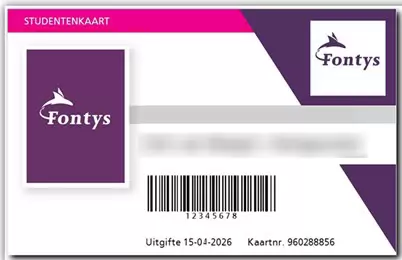
At the start of your studies at Fontys, you will have to apply for a Fontys card (Fontyskaart).
With the Fontys card, you can:
- Print using Canon printers
- Access barriers and buildings
Note:
For identification within Fontys, you must use an official ID, such as a passport, driver’s license, or identity card. Identification with the Fontys card is not allowed.
How do I get the card?
The student card is provided once free of charge at the beginning of or during the academic year to all students who register for the first time at Fontys University of Applied Sciences. You can apply for a student card when you are fully registered.
- Apply for a student card via www.fontyskaart.nl.
It is most convenient if you have your student card right from the start of the educational year. It is best to apply for the card as soon as you know what is your address is in the Netherlands.
Parking at Fontys
Are you coming to the campus by car? Register your number plate in advance. Some car parks have barriers. These open with your Fontys card or via number plate registration. This keeps the campus easily accessible for everyone.
Getting ready to move? Find everything you need to prepare your stay: insurance, housing, visas, finances, and more.
Preparing your stayStart your studies with confidence. Before you can enrol, you must come to Eindhoven to show your original diploma and final transcript. Two weeks before the event, you will receive an email with your date, timeslot, and location.
In very exceptional cases, you may request an individual appointment. However, your enrolment must be fully completed before 1 September 2026. If this is not done in time, your application will be cancelled. You may apply again for the February 2027 intake.
Conditions for Successful Enrolment
- Your diploma meets the admission requirements and you have received an admission letter
- Your language level is sufficient
- You have completed and confirmed your payment details in Studielink
Who Needs to Attend
All international ICT students starting an Associate Degree or Bachelor programme, including Dual Degree students (Exchange students and Dutch students do not attend).
You will also receive practical information about living in Eindhoven, registering with the municipality, and health matters.
What to Bring
- Your original diploma and final transcript, or a certified copy
- Your passport or identity card
This is compulsory.
Location: Building R10, Student Desk
Time: 09.00 – 16.00 hrs
Contact: StudyICT@fontys.nl
After Diploma Check Day
You will receive an email at your personal emailaddress with details about Start-up Day on 1 September. If you do not receive it by 28 August at 12.00, please email: fontysict-semester1@fontys.nl
As a Fontys student, you will probably live in the Netherlands for several years. This means you must register as a resident at the city hall of the town where you live. Please do this soon after you arrive.
More information about city hall registrationThe introduction week takes place from 30 August to 3 September 2027. During this week, you will get to know your fellow students, your lecturers, and your programme. It is a fun and informative start to your studies!
Check the programme below to find out when your introduction days are scheduled.
There are quite a few applications you'll use during your studies—for your timetable, grades, exams, and more. That’s why we’ve listed everything for you in one place. This way, you can see at a glance what each tool is used for and how to install it.
See how to use and install the toolsIn the summer, we work hard on creating timetables and class allocations for the new academic year. We understand that you may already be curious about this, but the timetable and class allocation are often only made available a few days before the start of your studies.
Once your timetable is available, you can view it in MyX (My Xedule). You log in using your Fontys account.
Wondering when your days off are? You can find them in the Fontys academic calendar.
So just a little more patience! Before you know it, your Fontys journey will begin and you’ll meet your new classmates.
Would you like to keep up to date with everything happening at Fontys ICT on social media? Then follow us:
For new students, we’ve posted a number of interesting videos on YouTube in the playlist: Fresh at Fontys ICT
September
The first day in class is Tuesday 1 September 2026.
1 September 2026, your first week will start. You will start in your class with your mentor according to the schedule you received through your personal emailaddress.
From this day onward you will need your laptop every day!
Time schedule: 09.00 - 16.00 hrs
Adress:
Rachelsmolen 1, Eindhoven
Building R10
We hope you've had a great start to your studies! During your time here, you may have questions, and you'll find answers to most of them on the student portal. So make sure to check it out!
Proxy is the study association of Fontys ICT. Proxy represents students and alumni and focuses on building a strong and inclusive community.
Proxy:
- organises social, educational and fun activities
- supports students during their studies
- helps you connect with other ICT students
- encourages personal and professional development
Joining Proxy is a great way to make friends and get more out of your student life.

Follow and connect with Proxy.
- website
- TikTok
- Lounge community on Discord (over 225 members)
Practical information
In addition to the timeline above, which covers everything you need to arrange and check before you start, you will also find some other practical information below.
Academic calendar 2026-2027
Purple introduction week
24-08-2026 / 28-08-2026
Educational period 1
31-08-2026 / 15-11-2026
Educational period 2
16-11-2026 / 07-02-2027
Educational period 3
15-02-2027 / 25-04-2027
Educational period 4
03-05-2027 / 25-07-2027
Vacation and holidays
Autumn break
19-10-2026 / 25-10-2026
Christmas break
21-12-2026 / 03-01-2027
Spring break
08-02-2027/ 14-02-2027
Good Friday
26-03-2027
Easter Monday
29-03-2027
May break
26-04-2027 / 02-05-2027
Liberation day
05-05-2027
Ascension Day and the day after
06-05-2027 / 07-05-2027
Whit Monday
17-05-2027
Summer break
26-07-2027 / 05-09-2027
Purple Introduction week
Starting your studies at Fontys in September? Then you'll kick things off with an awesome introduction week: Purple.
- The Purple introduction week takes place from 24 to 28 August 2026.
Fontys Helps: support during your studies
Do you have a question? Or do you want to know what else you can do next to your studies? Go to Fontys Helps. Here you can find useful information. You can also read nice stories from other students.
Do you want to do more than just study? That's possible! For example, you can join the student council, or become active in a student association.
Tip: save this page in your favourites. You will use it often during your studies.
Discover Fontys HelpsIn your first year, you will be assigned a personal semester coach. This coach will be your designated point of contact. You will have regular meetings to discuss how things are going. Your coach will monitor your academic progress and offer tips and advice. This ensures you receive the support you need to study effectively and discover your talents.
Student+
Do you need extra support alongside the guidance
provided by your programme? Student+ is available to all (international)
students at Fontys ICT who could use some extra help. For example with: You can
register for various forms of support free of charge, such as:
- neurodiversity
- physical or mental health issues
- procrastination
- asking for feedback
- finding or securing an internship
- combining your studies with elite sport, running your own business or informal caregiving
Student+ Information Session
Do you expect to need extra support? Then come
to the Student+ kick-off. You will receive:
- an explanation of Student+
- tips for a good start
- information about available support
- information from a dean
- an explanation of the Good Start group (weekly meetings, in person or online)
- a tour of the building
Location: Building R10, Rachelsmolen 1, Eindhoven
Date: 25 August 2026
Time: 10.00 - 11.00
Register: Send an email to: studentplus@fontys.nl

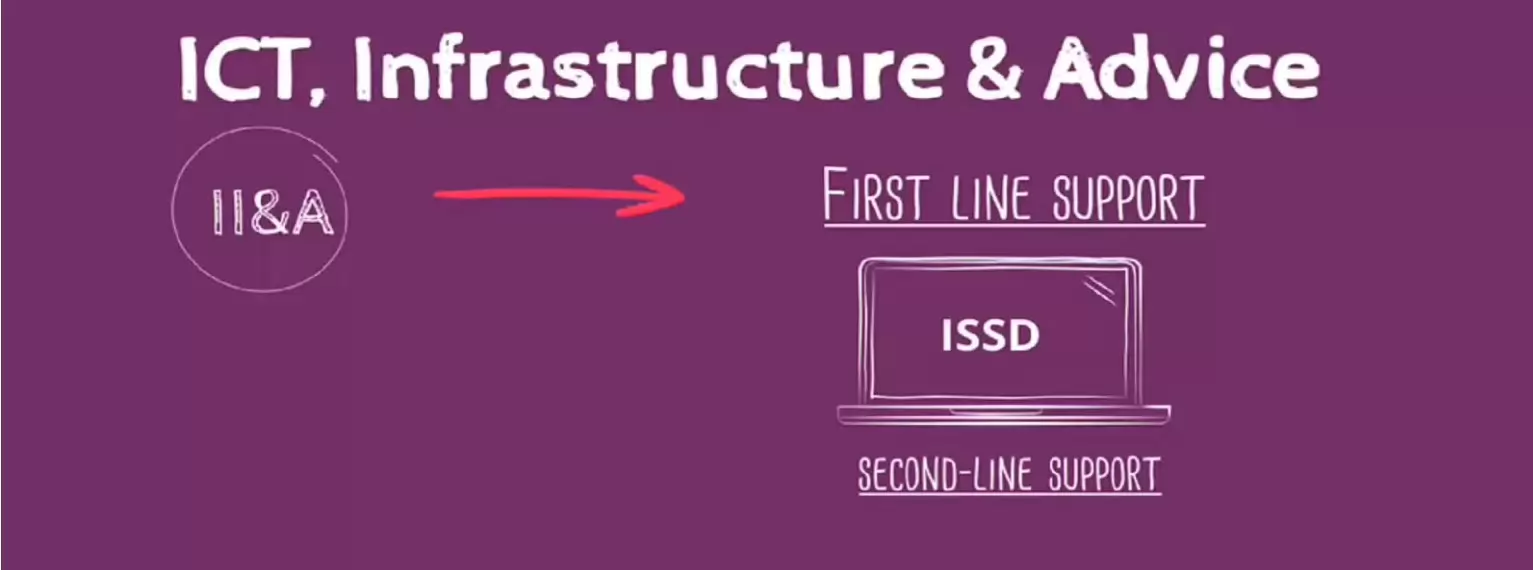
Do you have problems logging into the Studentportal ICT, did you lose your account details or did you not receive them at all?
Please contact our IT helpdesk, called ISSD (ICT Student Service Desk) to help you out. At the ISSD you can also borrow all kinds of computer materials.
Contact ICT Student service desk (ISSD)
The ISSD is open every working day from 8:45 a.m. to 5 p.m.
- Location: Eindhoven
- Building: R10, first floor
- Mail: issd@fontys.nl
- Telephone: 08850 - 81168
Contacts
Below you will find the key contact details for the departments and people who can help you with questions about the start of your studies. They are ready to help you, so do not hesitate to get in touch if you need more information about anything!
Introcommission Proxy study association: For all questions related to introduction week. association.
Student desk can help you with all your study-related questions, such as questions about your application or exemptions.
Introcommission Proxy Fontys ICT
Rachelsmolen 1 , 5612 MA Eindhoven