



Fresh at International Communication Management
Welcome to International Communication Management!
We are so glad you are here! Beginning a new study programme is a big step, and it is completely normal to have questions. That is why we have created a clear timeline just for you, so you always know what to do next and when. You do not have to figure it out on your own. Just take it one step at a time, and before you know it, you will be ready to start your studies with confidence.
Important dates: Add them to your calendar!
- Diploma-check days: date coming soon
- International Communication Management Orientation Day: 8 June
- Newbie meeting: 18 June
- Purple introduction week: 24 to 28 August
- Start of the academic year: 1 September
The dates listed above apply to students who started in September 2026. If you are starting in September 2027, the correct dates will be published later on this homepage as soon as they become available.
October - May
You have made your choice ! So, what comes next? Follow the link below to find everything you need to know about admission and application. Take a look at the entry requirements and find out which steps you still need to complete.
You might need a visa or residence permit when you come to live in the Netherlands. This depends on your nationality, the length of your stay, and the purpose of your visit. Find out everything you need to know on the page linked below.
Go to visa & residence permitTo complete your enrolment, you may need to take a language test. Check the requirements using the link below to find out which English tests are accepted and what the minimum scores are. Book your test as soon as possible!
Check language requirementsOnce you have applied via Studielink, you will receive an email from Fontys with the subject 'Fontys account creatie/creation'. This email is sent from no-reply@fontys.nl. The email contains your login details for your Fontys account. Keep this email in a safe place, as you will need your account during the application process and throughout your studies.
Can't find the email?
Call our Customer Contact Centre. We are happy to help you set a new password.
Call the Customer Contact Centre Other questions about your Fontys accountBefore you start your studies at Fontys, you will need to find a place to live. Fontys does not have its own student halls, but we work with trusted landlords and housing agencies to help students find accommodation during their first semester or year.
The application form for housing is available from 1 May. Please make sure you meet all the requirements and submit your application before the deadline of 15 June.
Please note that Fontys can only offer housing to a limited number of students, so we strongly recommend that you continue looking for accommodation yourself.
Go to accommodation informationAfter you submit your application through Studielink, you will receive an email from Fontys. In this email, we will ask you to upload some additional documents. These are needed to check whether you meet the admission requirements for your chosen programme.
Make sure you read the email carefully and upload all the requested documents as soon as possible, as this helps us process your application faster.
See the list of required documentsWhen you study at Fontys, you will use different online programmes. To log in safely and securely, we use multi-factor authentication (MFA). This means you need to log in in two steps. This is also called two-step verification.
You will need this login method for things like applying for your Fontys student card and visiting the portal of your programme.
That is why it is important to install the authenticator app on your phone. With this app, you can log in safely at any time, from anywhere.
Before you can use the app, it needs to be linked to your Fontys account. You can read how to do this on fontys.nl/en/signin
Download in Google Play Download in App StoreTuition fees are a standard part of studying in the Netherlands. You pay your tuition fees via a digital (direct debit) authorisation, either all at once or in instalments*. For more information about how and when to pay, watch the animation or see link below.
*Please note: Extra conditions apply for non-EEA students.
Go to Studielink More information about tuition fees

June
Moving to a new country is exciting, but it's even better when you already know some people. In our Unibuddy Community, you can chat with other new students and future classmates before you arrive. Share your questions, swap tips and make your first connections today!
Go to Unibuddy Community
As an international EU student coming to the Netherlands, you may be eligible for student finance. Check the conditions and find out what applies to you using the link below.
Go to student finance informationGetting around the Netherlands by public transport is easy. As a student (from within the EU), you may be eligible for a student travel product, which gives you free or discounted travel by train, bus and tram. To use it, you will need an OV-chipkaart. Find out how to apply using the link below.
Request a student travel productWe want to kick off the new academic year in style, and that is why we would like to invite you to our introduction week: Purple. During these fantastic few days, you will get to know your fellow students, lecturers, the campus and the city. A great way to settle in quickly and start your studies with confidence!
July
(available from 1 July 2027)
Is your laptop ready for your studies?
Here is a list of minimum requirements that Fontys sets for a computer to be used for
education. This includes the applications Microsoft Office 365 or Office 2019/2021, DLO
and tests.
The camera and headphones are intended for use with MS Teams.
Microsoft
- Processor: Intel Core i5 series/AMD Ryzen 5 series
- Memory: 8 GB RAM
- Hard disk: 128 GB disk space
- Network: Wifi
- Display: 14 inch screen van 1280 x 768
- Mouse: recommended
- Camera: recommended
- Headphones/earphones: recommended
- Browser: The latest version of Edge Chromium, Safari, Chrome of Firefox
- Operating system: Windows 10/11
Mac
- Processor: Intel-processor/Apple Silicon processor
- Memory: 8 GB RAM
- Hard disk:: 128 GB disk space
- Network: Wifi
- Display: 14 inch screen van 1280 x 800
- Mouse: recommended
- Camera: recommended
- Headphones/earphones: recommended
- Browser: The latest version of Edge Chromium, Safari, Chrome of Firefox
- Operating system: macOS 12.1 en hoger
Note: Chromebook/Linux-based systems are not suitable because various DLO components, including TestVision and the lockdown tool, will not work.
Note: Windows 10/11 in S mode are not suitable, Windows 10/11 Home of Pro are suitable.
Because the digital education market (software and IT hardware) is constantly changing,
these student laptop specifications are a recommendation for the minimum
requirements your laptop should meet. However, Fontys University of Applied Sciences
cannot guarantee that during the term of your studies this market will not make
additional demands, or offer new hardware that is less suitable. We will of course do
everything possible to limit the impact on you (your laptop) and inform you to the best of
our abilities.
As a student at Fontys, you automatically get free access to Office 365. You do not need to buy this yourself.
What do you get?
- You can use programmes such as Word, PowerPoint, Excel, OneNote, Teams, Forms and more.
- You get 50 GB of storage in OneDrive. This lets you save your files safely and open them anywhere.
- You can install Office 365 on up to 5 of your own devices, such as your laptop, tablet or phone.
You log in with the details you received after registering via Studielink.
Go to Office 365Other software at a discount via Surfspot
Do you need other programmes in addition to Office 365? Wait until your study programme team lets you know which programmes you need. Some of these may also be available to you for free through Fontys. For anything else, you can buy software and digital products at a student discount via Surfspot.
Go to SurfspotHave you made your final decision? Once you've confirmed which programme you'd like to study with us, take a moment to cancel any other applications in Studielink. This ensures you'll only hear from us about the programme you've chosen. And if you've decided Fontys isn't quite the right choice, we'd be sad to see you go, but we completely understand. Just remember to cancel your application in Studielink so everything is clear on our end.
Go to StudielinkAugust
At the start of your studies at Fontys, you will have to apply for a Fontys card (Fontyskaart).
With the Fontys card, you can:
- Print using Canon printers
- Access barriers and buildings
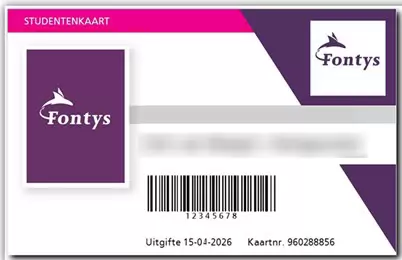
Note:
For identification within Fontys, you must use an official ID, such as a passport, driver’s license, or identity card. Identification with the Fontys card is not allowed.
How do I get the card?
The student card is provided once free of charge at the beginning of or during the academic year to all students who register for the first time at Fontys University of Applied Sciences. You can apply for a student card when you are fully registered.
- Apply for a student card via www.fontyskaart.nl.
It is most convenient if you have your student card right from the start of the educational year. It is best to apply for the card as soon as you know what is your address is in the Netherlands.
Parking at Fontys
Are you coming to the campus by car? Register your number plate in advance. Some car parks have barriers. These open with your Fontys card or via number plate registration. This keeps the campus easily accessible for everyone.
Getting ready to move? Find everything you need to prepare your stay: insurance, housing, visas, finances, and more.
Preparing your stayDo you have a diploma from outside the Netherlands? Then you will need to visit the Student Administration office in person to show your original diploma and corresponding list of grades. Please note that we cannot accept certified copies. This check is an important step to complete your enrolment and get access to your learning environment.
If you hold a diploma from a Dutch secondary school, you do not need to attend.
The dates of the Diploma-check will be announced.
As a Fontys student, you will probably live in the Netherlands for several years. This means you must register as a resident at the city hall of the town where you live. Please do this soon after you arrive.
More information about city hall registrationThe introduction week takes place from 30 August to 3 September 2027. During this week, you will get to know your fellow students, your lecturers, and your programme. It is a fun and informative start to your studies!
Check the programme below to find out when your introduction days are scheduled.
There are quite a few applications you'll use during your studies—for your timetable, grades, exams, and more. That’s why we’ve listed everything for you in one place. This way, you can see at a glance what each tool is used for and how to install it.
See how to use and install the toolsIn the summer, we work hard on creating timetables and class allocations for the new academic year. We understand that you may already be curious about this, but the timetable and class allocation are often only made available a few days before the start of your studies.
Once your timetable is available, you can view it in MyX (My Xedule). You log in using your Fontys account.
Wondering when your days off are? You can find them in the Fontys academic calendar.
So just a little more patience! Before you know it, your Fontys journey will begin and you’ll meet your new classmates.
September
The first academic week at International Communication Management starts right after the introduction week with multiple activities that help you to learn how to work together. You will meet your client for the first project for a briefing. We have scheduled several workshops and you will meet your mentor group. Moreover, we will organise several social activities to get acquainted with your fellow students and lecturers. All activities will be visible in your schedule and you will receive more information during the introduction week.
We hope you've had a great start to your studies! During your time here, you may have questions, and you'll find answers to most of them on the student portal. So make sure to check it out!
Studying in Eindhoven is even more fun when you get involved outside the classroom. There are many different student associations to choose from. You can play sports, debate, travel, or share hobbies with fellow students. There are also associations for students of a particular faith, for those who want to start their own business, or for extra study support. Some associations ask for a bigger time commitment, others let you decide how much you participate.
Tip: consider joining the student association for your own programme. It is a great way to get useful summaries and discounts on your course books.
Student association FACT Other student associations in Eindhoven
Practical information
In addition to the timeline above, which covers everything you need to arrange and check before you start, you will also find some other practical information below.
Academic calendar 2026-2027
Purple introduction week
24-08-2026 / 28-08-2026
Educational period 1
31-08-2026 / 15-11-2026
Educational period 2
16-11-2026 / 07-02-2027
Educational period 3
15-02-2027 / 25-04-2027
Educational period 4
03-05-2027 / 25-07-2027
Vacation and holidays
Autumn break
19-10-2026 / 25-10-2026
Christmas break
21-12-2026 / 03-01-2027
Spring break
08-02-2027/ 14-02-2027
Good Friday
26-03-2027
Easter Monday
29-03-2027
May break
26-04-2027 / 02-05-2027
Liberation day
05-05-2027
Ascension Day and the day after
06-05-2027 / 07-05-2027
Whit Monday
17-05-2027
Summer break
26-07-2027 / 05-09-2027
Purple Introduction week
Starting your studies at Fontys in September? Then you'll kick things off with an awesome introduction week: Purple.
- The Purple introduction week takes place from 24 to 28 August 2026.
Fontys Helps: support during your studies
Do you have a question? Or do you want to know what else you can do next to your studies? Go to Fontys Helps. Here you can find useful information. You can also read nice stories from other students.
Do you want to do more than just study? That's possible! For example, you can join the student council, or become active in a student association.
Tip: save this page in your favourites. You will use it often during your studies.
Discover Fontys HelpsContacts
Below you will find the key contact details for the departments and people who can help you with questions about the start of your studies. They are ready to help you, so do not hesitate to get in touch if you need more information about anything!
The student desk can help you with all your study-related questions, such as questions about your application or exemptions. The IT service desk can help you with all IT-related questions, about your laptop, your Fontys account, or other IT matters.
IT servicedesk
Get in touch by phone or email, or visit an IT Service Point (available at most Fontys locations).