Safety Abroad
Travel safety (risk analyses Mobility Online)
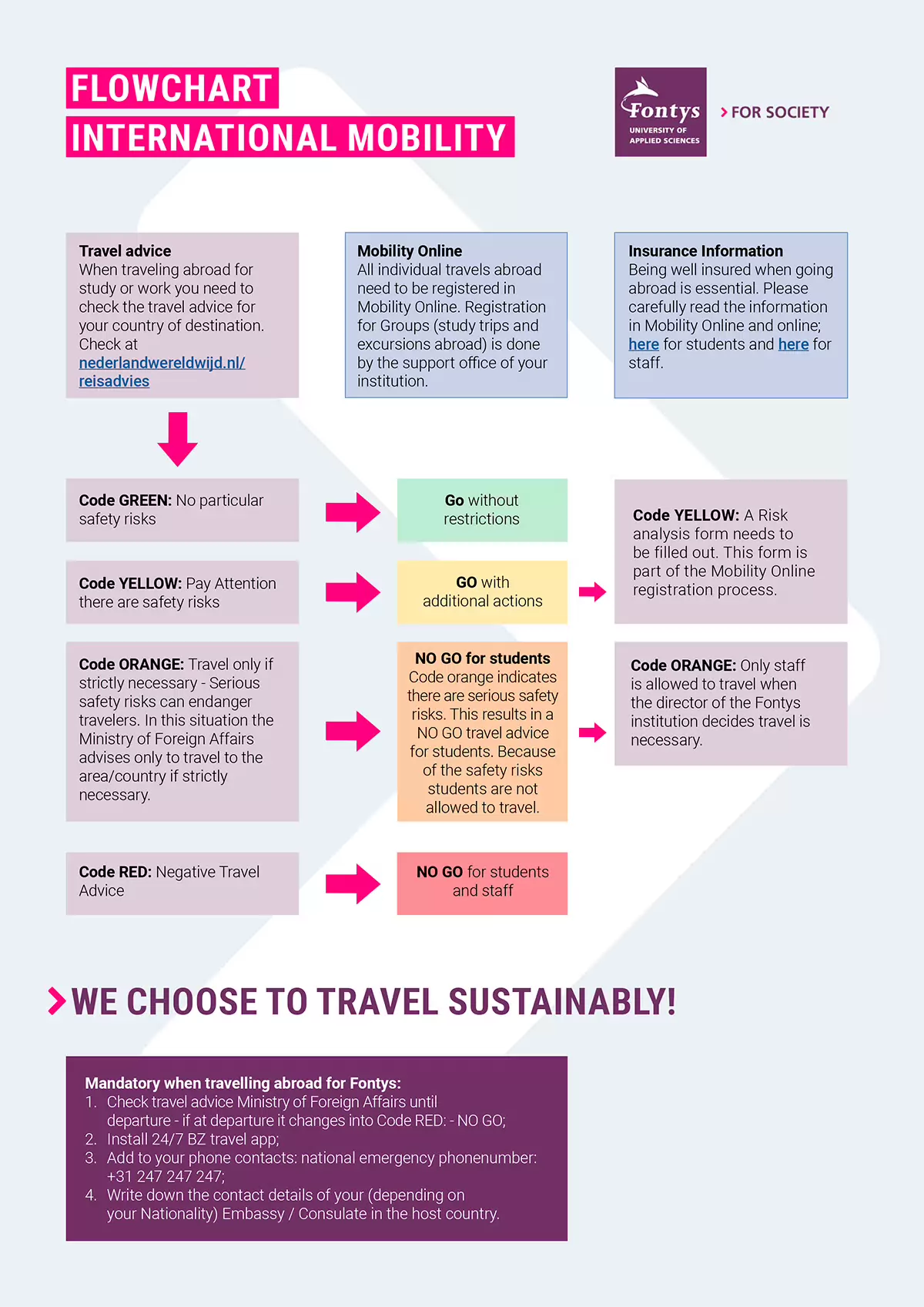
To determine whether it is safe to travel abroad for your study or internship, Fontys has created an international mobility flowchart for students and staff. This flowchart is based on the worldwide travel advice and information published by the Dutch Ministry of Foreign Affairs. Please note that this information is in Dutch. If you need assistance, please contact studyabroad@fontys.nl.
This flowchart is part of the mandatory registration process in Mobility Online (risk analysis). Be aware that entry rules for a country can change at any time, as situations can evolve rapidly. Therefore, it is best to check the colour code regularly. The colour code on the day of departure is the final go/no-go for your travels.
-
Green = GO: It is deemed safe to travel to this country, region, or city. Please ensure you read all the available information on the webpage of your destination, as published by the Dutch Ministry of Foreign Affairs: https://www.nederlandwereldwijd.nl/.
-
Yellow = GO: It is considered safe to travel to this country, region, or city. However, there are specific safety risks to be aware of. To prepare and proceed with the registration process, you must read all the available information on the webpage of your destination and complete the Risk Analysis. This document can be found in Mobility Online.
-
Orange/Red = NO-GO: It is not safe to travel to this country, region, or city. Based on the travel advice from the Dutch Ministry of Foreign Affairs, Fontys strongly advises against travel. You will not be able to complete your registration process in Mobility Online. Please contact studyabroad@fontys.nl for further advice.
Exemption
There is one exemption in the case of an orange or red travel code. If you are an international student and have chosen a minor or internship in your home country (e.g., you are a Bulgarian national and will undertake an internship in Bulgaria), you may proceed.
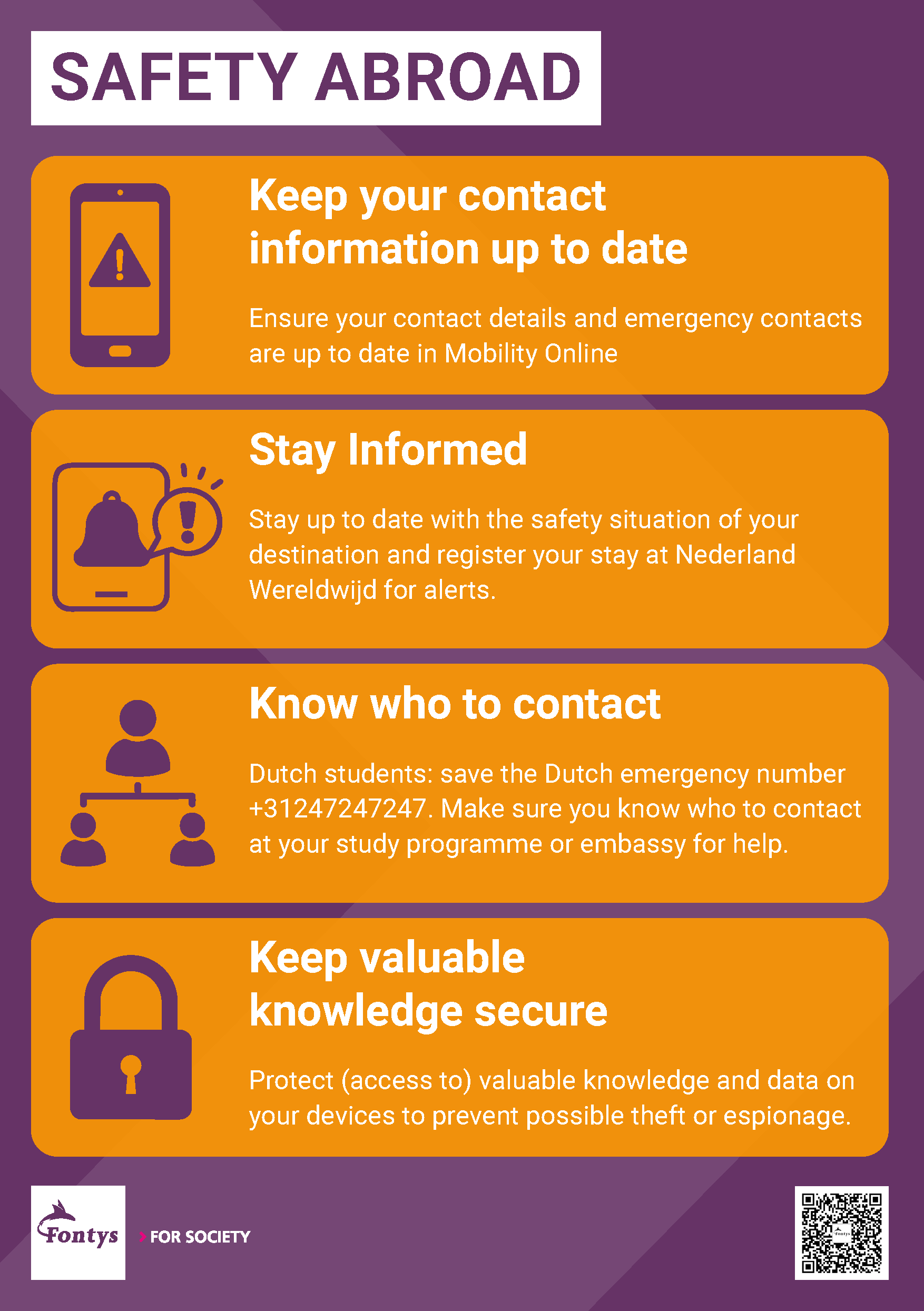
Details such as foreign address and phone number always should be correct. If these details change during your stay abroad, please update your Mobility Online details accordingly. The same counts for the dates of your stay abroad. If you need to change information in Mobility Online, but are not able to do this yourself, please inform your Institute Coordinator.
Knowledge Security
When you go abroad it's important to be aware of certain security considerations. These relate to digital security (see digital safety) or the security of the knowledge you possess and take with you. We refer to this as Knowledge Security. The aim is to prevent sensitive knowledge, technology and data from inadvertently falling into the wrong hands and being misused. Some examples:
Espionage and/or data theft:
People may, for various reasons, attempt to gain access to unique, valuable knowledge or data via your laptop, phone or USB stick.
Undesirable influence:
In some countries, pressure may be exerted on you to alter your research results or to share information that is actually confidential.
Practical tips
- Only take the data you really need with you.
- Always use a secure connection (VPN) when going online.
- Always install the latest security updates.
- Always carry data storage devices in your hand luggage.
- Keep confidential data protected so that others cannot view it.
- Switch off your devices when they are not in use. This makes them harder to hack and track than when they are switched on.
- Always switch off the Bluetooth function on your phone and laptop when travelling. Bluetooth is insecure and spying via this function is extremely easy.
- Do not use USB sticks, SD cards, other data storage devices or third-party gadgets as they may be infected with malware.
- Only insert your own USB stick into your own devices to prevent malware.
- Always use your mobile (data) subscription to prevent malware
- Always lock your laptop and keep your mobile phone with you at all times.
- Do not lend out your laptop or mobile phone.
- Do not install apps on your mobile phone at the request of others.
- Keep data to yourself, both on paper and digitally. so it remains protected.
- Restrict access to applications to yourself only.