
Fresh at Urbanism (Master)
Welcome to Fontys!
We are looking forward to meeting you in person. To get you well prepared for your study at Fontys, we have gathered all information you need on this page. Please check this website regularly so you don't miss an update. If you still have any questions, please don’t hesitate to contact us. See you soon!
Get prepared to start your studies at Master Urbanism.
Below you will find practical information about e.g. your application, Fontys account, on campus WiFi, books and laptop requirements.
You have sent in your application to this study programme through the website studielink.nl and have received a confirmation e-mail from Studielink. In Studielink you will find a 'To Do List' where you can check the actions you still need to complete. You will also receive information about your application from the administrative office.
Tuition fees are a standard part of studying in the Netherlands. You pay your tuition fees via a digital (direct debit) authorisation, either all at once or in instalments. For more information about how and when to pay, watch the animation or see link below.
More information about tuition fees
Are you an international student planning to study at Fontys? You may be eligible for a scholarship!
Scholarships help talented students by providing financial support for their studies. Below, you can find information about different scholarships, eligibility criteria, and how to apply.
You might also be eligible for other scholarships not provided by Fontys. These can be found on Grantfinder.nl.
Account and IT information
After applying you received an email from us with your personal login details. The sender of the email: 'no-reply@fontys.nl', and the subject is 'Fontys account creatie/creation'. Please save this e-mail carefully, you will need it!
For practically all online services at Fontys you have to sign in with your Fontys account. This account is a username and password combination. Your user name contains a PCN (Personal Communication Number) and the domain: '@student.fontys.nl'.
More information about signing inBeing able to work and study securely is of the utmost importance at Fontys. That is why we continuously work on improving information security. We switched to a new way of signing in at Fontys: in addition to your username and password, you will also use an extra step as verification (multifactor authentication).
Eduroam (education roaming) is a service that enables students, researchers, and staff to securely access the wireless internet at the Fontys campus and while visiting other participating institutions, using the username and login provided by Fontys.
Advice: Install eduroam on your private laptop, smartphone, and tablet at home according to the instructions. When you arrive at the Fontys campus, everything will be set and ready to go.
Manual: Connect to EduroamFontysConnect, the intranet site of Fontys, is used to make (digital) information available, to share documents, to work together and as a search centre. Everyone with a Fontys account has access. If you log in to the Fontys website with your Fontys account you will land on your personal Connect page. From there you can access the various pages. This is not needed right now but will be come in hand when your studies start!
go to portal
How do I get the card?
The student card is provided once free of charge at the beginning of or during the academic year to all students who register for the first time at Fontys University of Applied Sciences. You can apply for a student card when you are fully registered.
- Apply for a student card via www.fontyskaart.nl.
It is most convenient if you have your student card right from the start of the educational year. It is best to apply for the card as soon as you know what is your address is in the Netherlands.
When do I need a student card?
You need a student card for various reasons:
- As proof of identity at Fontys Universities (for example at exams).
- For logging on to the Canon printers.
- To gain entry to some buildings on Fontys property and at automated barriers.
- To use the lockers in some Fontys buildings.
- For the loan of equipment from the media libraries.
Fontys provides you with ‘@student.fontys.nl’ email address. You can log in with your Fontys account. When you start your studies at Fontys, we will no longer send e-mails to your private email address, but instead only use your Fontys email address. Make sure you check this account regularly!
go to Outlook webmailiPhone and iPad
- Choose Outlook for iOS in the Apple Store and install the app.
- Add an account and fill in your email address (name@student.fontys.nl)
- Open verification app and you will be directed to the Fontys login page
- Remove the email address and fill in your Fontys credentials:
username: <PCN>@student.fontys.nl
Password: the password to your Fontys account - Skip the First Run Experience
- Enable Notifications
- Tap Allow 'Outlook can send you messages."
Android phones and tablets
- Go to settings > Accounts & Synchronisation > Add Account > Microsoft Exchange ActiveSync.
- Fill in the required details:
Domain: The domain students use is BERGEN. When a domain is optional, leave this field blank. Some devices require the notation domain\username in one field. In that case, write down: BERGEN\<PCN>.
Username:
Your username is <PCN>@student.fontys.nl. Some devices require the notation domain\username in one field. In that case, write down: BERGEN\<PCN>. - Write down your Fontys emailadress: <name>@student.fontys.nl
- Fill in the password to your Fontys account.
- Server: If your device asks for this, write down outlook.fontys.nl
There are quite a few applications you'll use during your studies—for your timetable, grades, exams, and more. That’s why we’ve listed everything for you in one place. This way, you can see at a glance what each tool is used for and how to install it.
See how to use and install the toolsIf you click the button below you will find English information and manuals on various IT topics. You'll be able to find information about the Fontys network, printing, storage, mail, etcetera. You can also find the contact details of our IT Servicedesk here.
go to it helpStudy materials
Is your laptop ready for your studies?
Here is a list of minimum requirements that Fontys sets for a computer to be used for
education. This includes the applications Microsoft Office 365 or Office 2019/2021, DLO
and tests.
The camera and headphones are intended for use with MS Teams.
Microsoft
- Processor: Intel Core i5 series/AMD Ryzen 5 series
- Memory: 8 GB RAM
- Hard disk: 128 GB disk space
- Network: Wifi
- Display: 14 inch screen van 1280 x 768
- Mouse: recommended
- Camera: recommended
- Headphones/earphones: recommended
- Browser: The latest version of Edge Chromium, Safari, Chrome of Firefox
- Operating system: Windows 10/11
Mac
- Processor: Intel-processor/Apple Silicon processor
- Memory: 8 GB RAM
- Hard disk:: 128 GB disk space
- Network: Wifi
- Display: 14 inch screen van 1280 x 800
- Mouse: recommended
- Camera: recommended
- Headphones/earphones: recommended
- Browser: The latest version of Edge Chromium, Safari, Chrome of Firefox
- Operating system: macOS 12.1 en hoger
Note: Chromebook/Linux-based systems are not suitable because various DLO components, including TestVision and the lockdown tool, will not work.
Note: Windows 10/11 in S mode are not suitable, Windows 10/11 Home of Pro are suitable.
Because the digital education market (software and IT hardware) is constantly changing,
these student laptop specifications are a recommendation for the minimum
requirements your laptop should meet. However, Fontys University of Applied Sciences
cannot guarantee that during the term of your studies this market will not make
additional demands, or offer new hardware that is less suitable. We will of course do
everything possible to limit the impact on you (your laptop) and inform you to the best of
our abilities.
Software deals for education
SURFspot is the ultimate non-profit ICT online store. SURFspot offers an educational discount on software, hardware and online educational resources.
So how does it work?
Go to SURFspot.nl and log in using your Fontys account (PCN@student.fontys.nl + password)
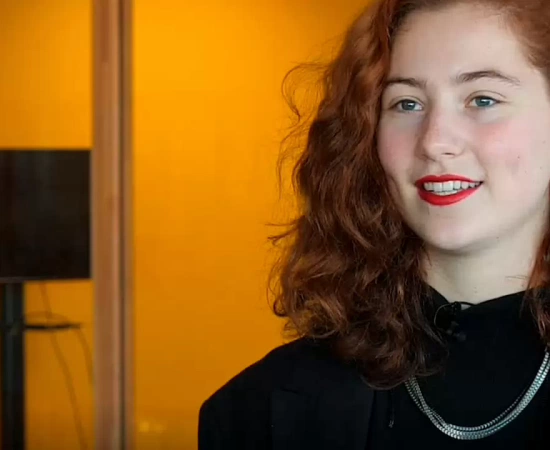
Working with other students in a group teaches you to be more collaborative, outgoing and respectful of others work and opinions."
Student about her experiences
Starting your studies
When starting your studies at Fontys, it is nice to know when we expect to meet you on campus for the first time and what you will experience in the first months at Master of Urbanism.
Academic Calendar Fontys Academy of the Arts 2026-2027
We are pleased you will be joining us this coming academic year! A new exciting phase in your life.
(Online) Welcome Helpdesk
If you still have questions or need support in matters relating to housing, settling in Tilburg, administrative issues (like registration at the city hall and opening a bank account), finding your way around the institute and the city, you can visit the Global Engagement Team of Fontys Academy of the Arts during opening hours. You can also send the team an e-mail: FAA-global@fontys.nl
Enrollment
If you have any urgent questions regarding your enrolment, please send an email to
FAA-sa@fontys.nl or FAA-admission@fontys.nl
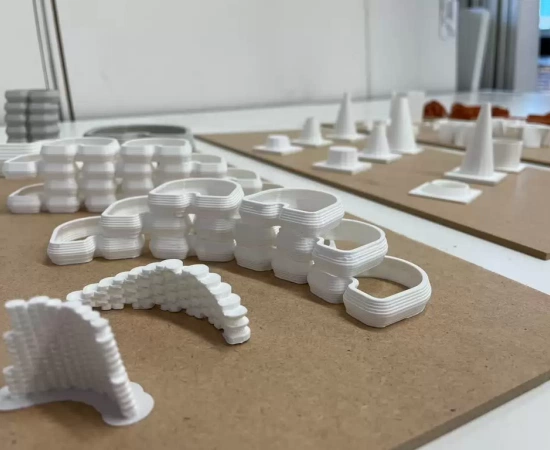
Connected to the design studios are, for example, research courses and critical thinking courses."
Alda Alagic - head of studies
Join our community
Fontys Master Urbanism offers you several ways for you to become part of our community. It is up to you to join, but we highly recommend it. There is no better way to get to know your future classmates before you even set one foot on campus!
If you are interested in more detailed stories from international students or want to get in touch with one or more of them, check out this page.
Contact a studentContact general and map building Zwijsenplein
Reception Fontys Academy of the Arts
+31 (0) 885074599
Address
Fontys Academy of the Arts
Entrance 1: Zwijsenplein 1, 5038 TZ Tilburg
Entrance 2: Bisschop Zwijsenstraat 11, 5038 VA Tilburg
Circushal: Campus Stappegoor (P7 entrance Stappegoorweg), Prof Goossenslaan 1, 5022 DM Tilburg
Bicycle parking
On the left side of Fontys Academy of the Arts (entrance Zwijsenplein) is an official parking facility: 'Bicycle parking Concertzaal'.
Parking
Parking Koningsplein, Schouwburg (Louis Bouwmeesterplein) or Emmapassage.
Free parking is impossible in the city center.
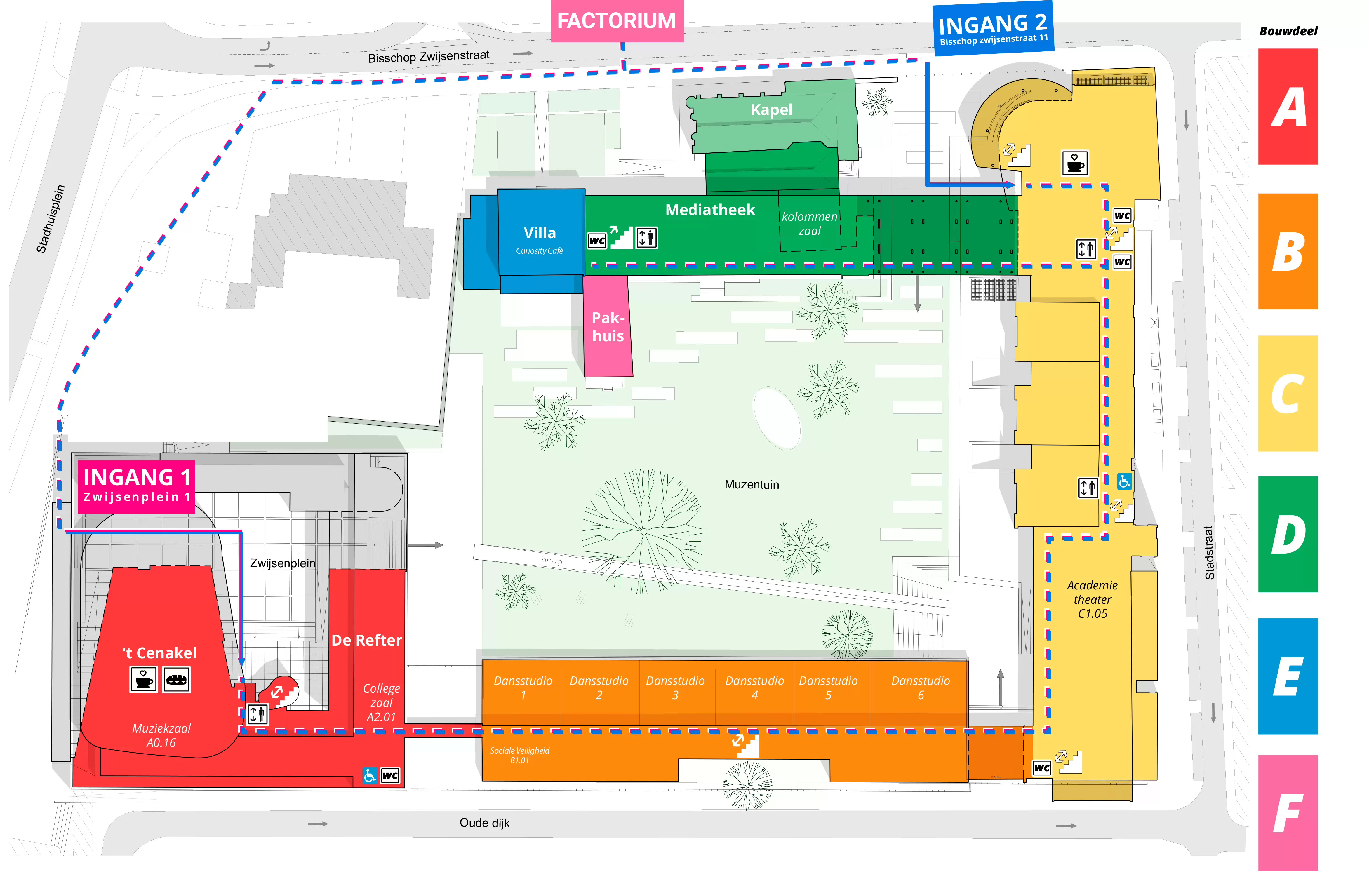
Map of the building
The building is very complex when you first enter it, that is why you can get a map at the reception desk. We hope this will help you find your way around the building quickly.
Each part of the building has a letter, from A to E.
These letters can be found in the signage, on the floor plan but also in the numbers of the various rooms.
A - the part situated around the Concertzaal
B - the long section on the Oude Dijk
C - the part situated on Stadstraat and Zwijsenstraat
D - the part on Zwijsenstraat
E - the Villa on Zwijsenstraat
F - the Pakhuis next to the Villa
Personal support
To give you a good start at your study, you will be in close contact with a student coach. He or she is your first point of contact for all practical and study questions, follows your achievements and gives valuable tips and advice where necessary.
We also advise you to bookmark the webpage Fontys helps. This platform offers practical information, personal support when you need extra guidance and useful links. But also interesting initiatives for you to join.

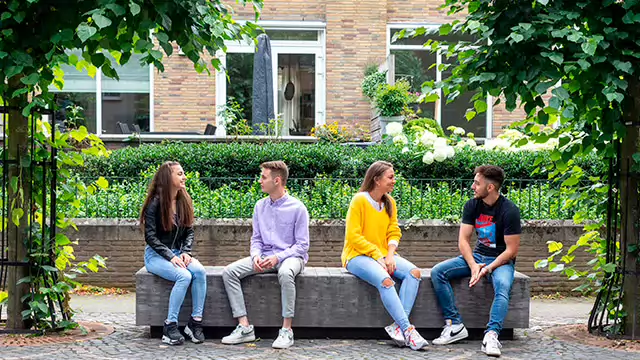
Your stay in the Netherlands
There is a lot to see and experience in the Netherlands. Here you'll find a lot of information about studying at Fontys, accommodation and also practical information like enrolling, visa, finances etc.
Go to practical information about living in the Netherlands